Thanks for your great service. SocketXP IoT Remote Access Solution works like a charm.
Tobias
freshtaste.de
Remotely manage, control and access your Linux server from anywhere using SocketXP's Linux Server Remote Management Platform.
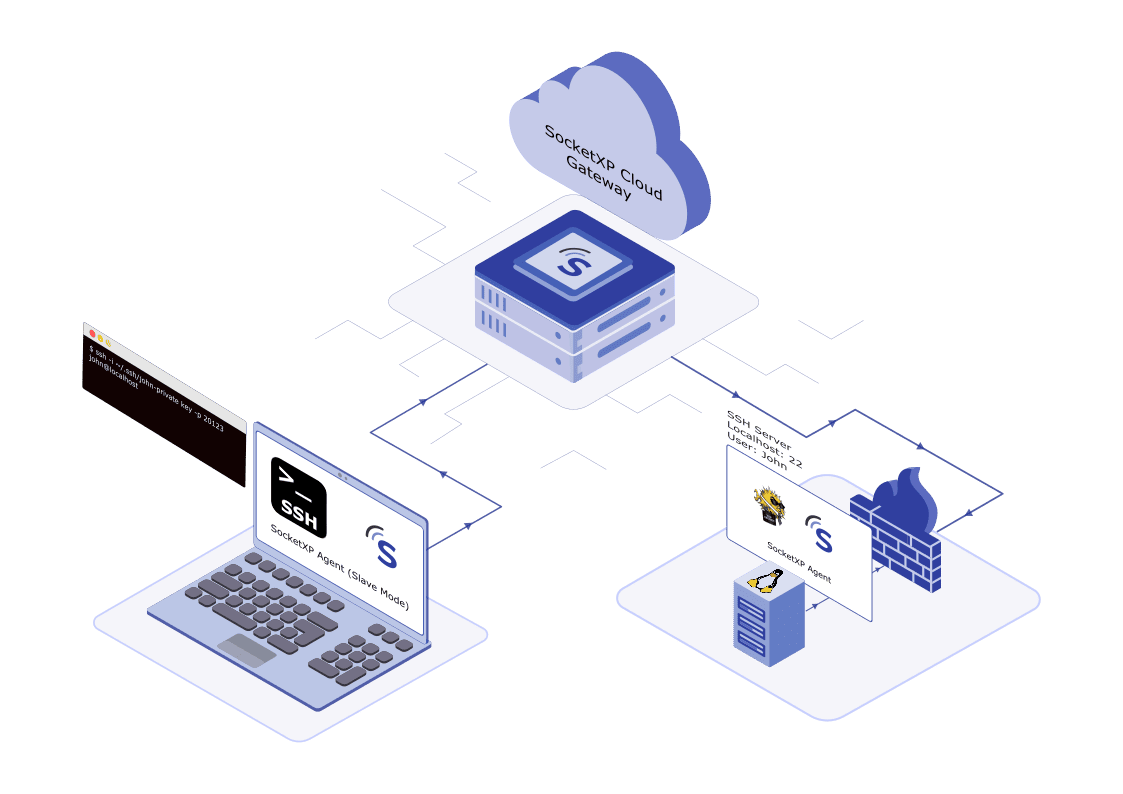









Linux server remote access refers to the ability to access and control a Linux machine from a remote computer or device. This can be done using a variety of methods, such as SSH, VNC, and RDP.

Remotely monitor and troubleshoot critical applications in real-time.

Remotely access and organize files or update apps in your server without being on-site.

Operate your Linux servers headless without using monitor, keyboard or mouse.
Access your Linux server securely from anywhere using SSH, even behind NAT or firewalls. SocketXP enables password or key-based SSH login through a web browser or your preferred SSH client like PuTTY—no port forwarding required.
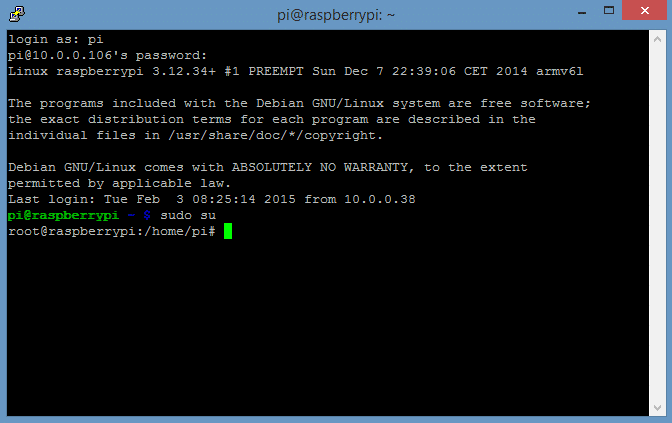

Seamlessly connect to Linux servers behind NAT router or firewall using SSH.

Enhance security with SSH key authentication through clients like PuTTY.

SSH login to your Linux server using just a web browser — no additional setup required.
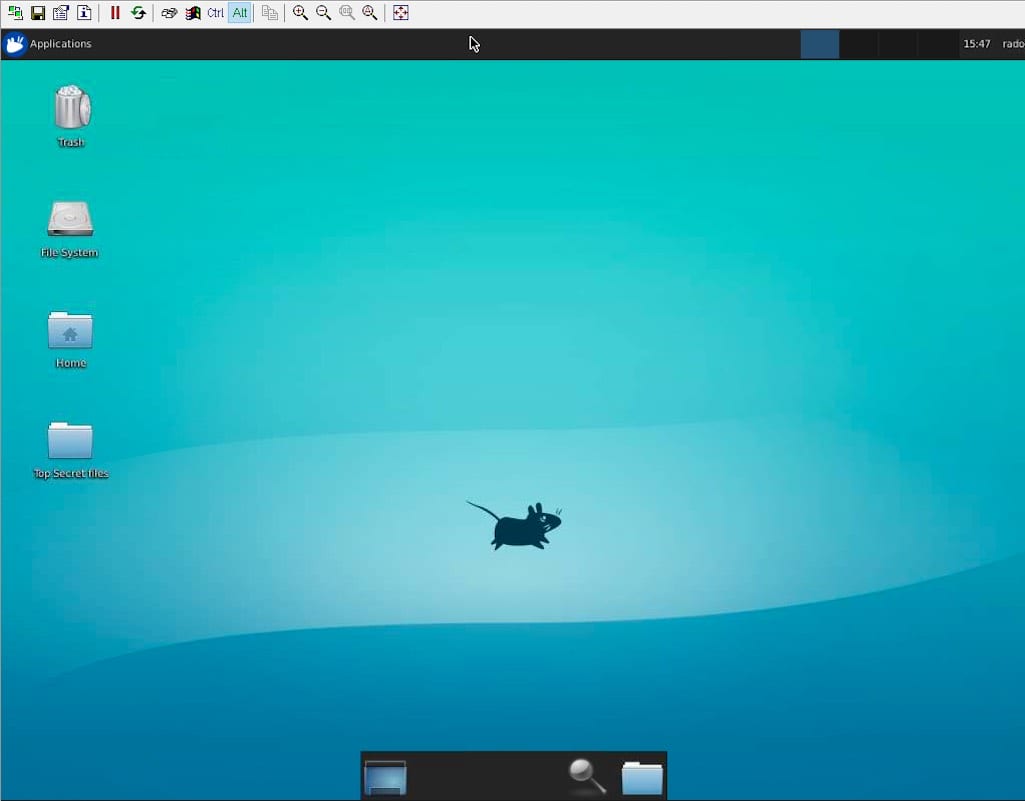
Access and control your Linux server’s desktop remotely using VNC. Enjoy a seamless GUI experience for managing applications, editing files, and monitoring your system from anywhere.

Access your Linux Desktop’s graphical interface securely from any location.

Run apps, edit files, and manage tasks on your Linux server effortlessly.

Control Linux machines from anywhere with a reliable internet connection.

Easily configure and start managing your Linux servers remotely within minutes.
Access your Linux server desktop remotely from anywhere. Manage files, run applications, and enjoy a GUI experience without being on-site.
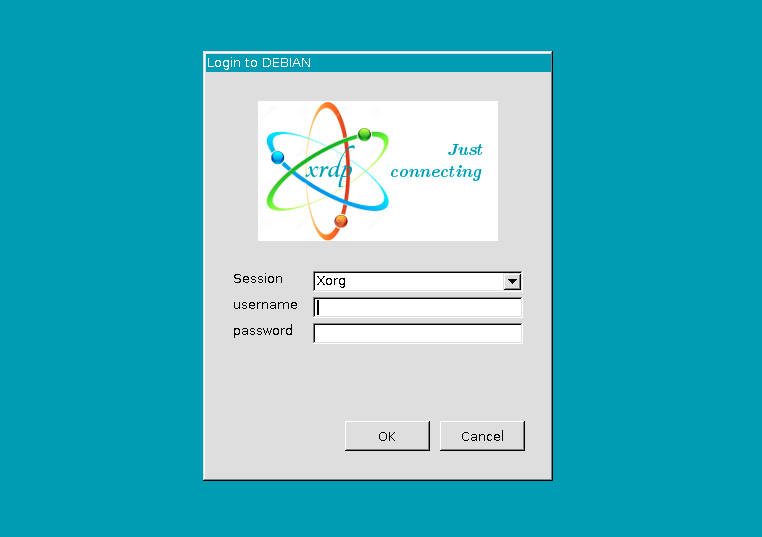
Take full control of your Linux server with Remote Desktop Protocol (RDP). Access a graphical interface, manage files, and run applications just as if you were at the machine. SocketXP’s Linux Server Remote Desktop Access using xRDP removes CLI limitations and enables full desktop usability remotely.
Explore Remote Desktop Access for Linux Servers
Access and control your Linux server desktop just like sitting in front of it—anywhere, anytime.

Skip the terminal—use a familiar desktop UI for managing apps, files, and server settings.

Set up xRDP in minutes and connect securely from your Windows or remote machine.
Avoid tedious SSH logins. Instantly run commands and scripts on your Linux server from anywhere with SocketXP’s secure remote execution.

Streamline Linux server management—execute commands remotely without SSH. Whether managing one or many servers, SocketXP ensures secure, efficient, and convenient control anytime, anywhere.

Protect commands with HTTPS, SSL encryption, and access tokens. Easily connect with your existing Linux dashboard or controller.

Execute scripts and commands from anywhere in the world—home, office, or on the go.
Find quick answers to the most common questions about this topic.
Install the SocketXP agent on the Linux server. The agent creates a secure outbound tunnel to the SocketXP cloud gateway. You can then SSH into the server from anywhere using the SocketXP web terminal or a standard SSH client pointed at the SocketXP tunnel address—no public IP, no port forwarding, and no VPN needed.
Yes. The SocketXP agent makes an outbound HTTPS connection on port 443, which corporate firewalls almost universally permit for web traffic. No inbound firewall rules need to change, and no IT infrastructure changes are required.
Yes. SocketXP tunnels VNC and xRDP connections the same way it tunnels SSH. Install a VNC server such as TigerVNC or xRDP on your Linux server, then use SocketXP to expose it securely. You can access the full graphical desktop from any VNC or RDP client.
Yes. The SocketXP portal includes a browser-based SSH terminal and SFTP file browser. Open your browser, go to the SocketXP dashboard, select your server, and click Connect. No SSH client, VPN client, or browser plugin is required.
A bastion host requires a publicly-exposed server that you maintain, patch, and secure—making it a high-value attack target. SocketXP eliminates the need for a bastion entirely. Each server connects outbound to SocketXP's cloud gateway, so there is no publicly-exposed infrastructure on your network to compromise or maintain.
Yes. SocketXP works on any Linux server regardless of where it is hosted—on-premises, in AWS EC2, Azure VMs, GCP Compute Engine, or a bare-metal data centre. It is particularly useful for cloud VMs in private subnets that have no public IP and no internet gateway, where you would otherwise need a bastion host or VPN to reach them.
Hear from our satisfied customers about how SocketXP has transformed their IoT workflows with seamless connectivity, robust security, and unmatched reliability.