Thanks for your great service. SocketXP IoT Remote Access Solution works like a charm.
Tobias
freshtaste.de
SSH into NVIDIA Jetson, Raspberry Pi AI HAT, and GPU servers. Access Jupyter, Ollama, and AI inference APIs. Deploy AI model updates OTA — no VPN, no port forwarding.







AIoT (Artificial Intelligence of Things) is the combination of AI inference workloads with IoT edge hardware — NVIDIA Jetson, Raspberry Pi AI HAT, GPU servers, and embedded Linux devices. Remote access means securely reaching those devices and the AI services running on them, from anywhere, without a VPN or port forwarding.


Your Jetson or Raspberry Pi runs inference at a factory, retail site, or field location — behind a customer's firewall or on 4G/Starlink.

Engineers need SSH to debug inference pipelines, HTTPS to reach AI APIs, and OTA to push updated model files — all without physical access.

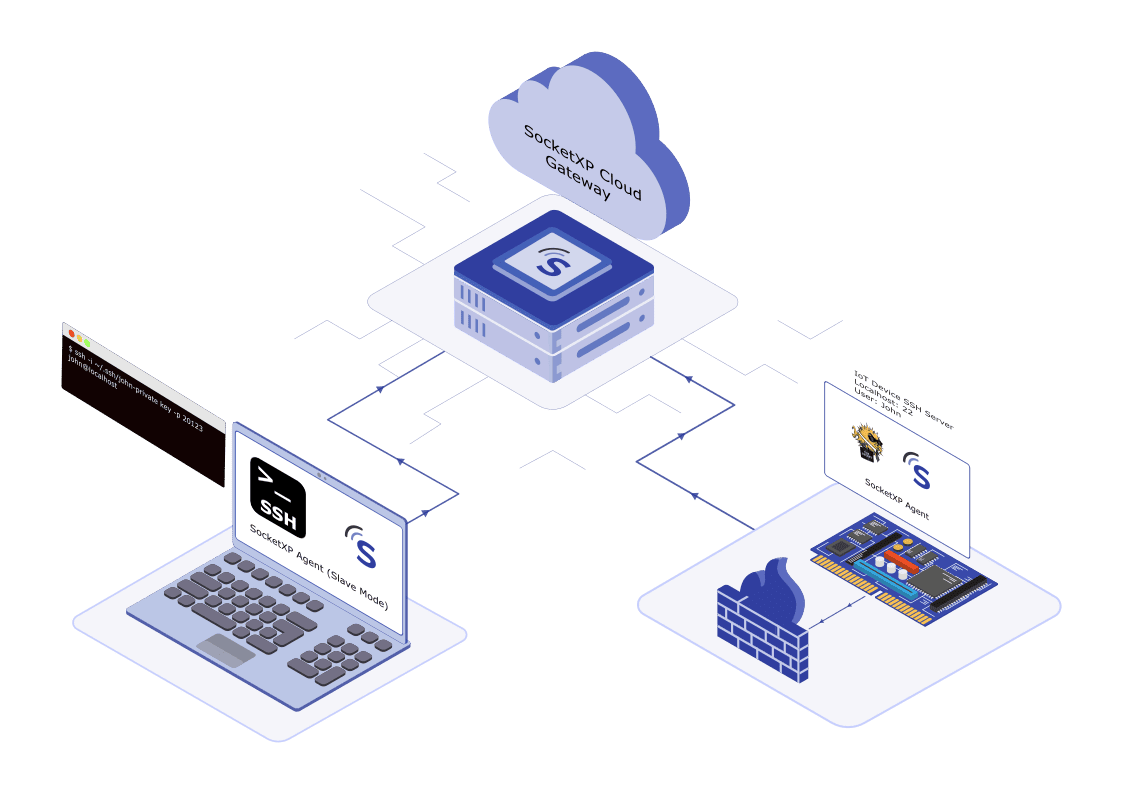
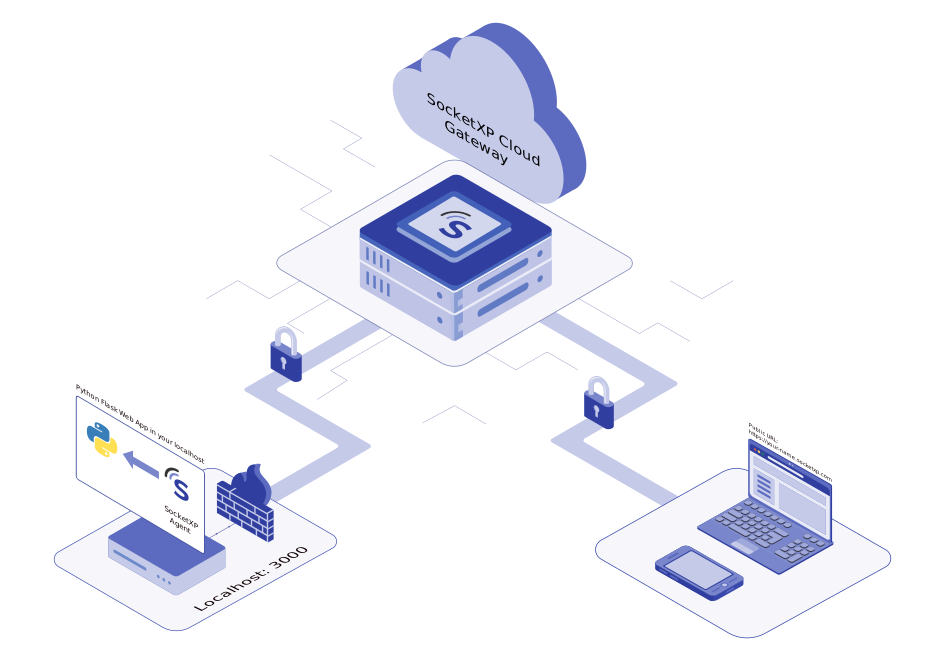
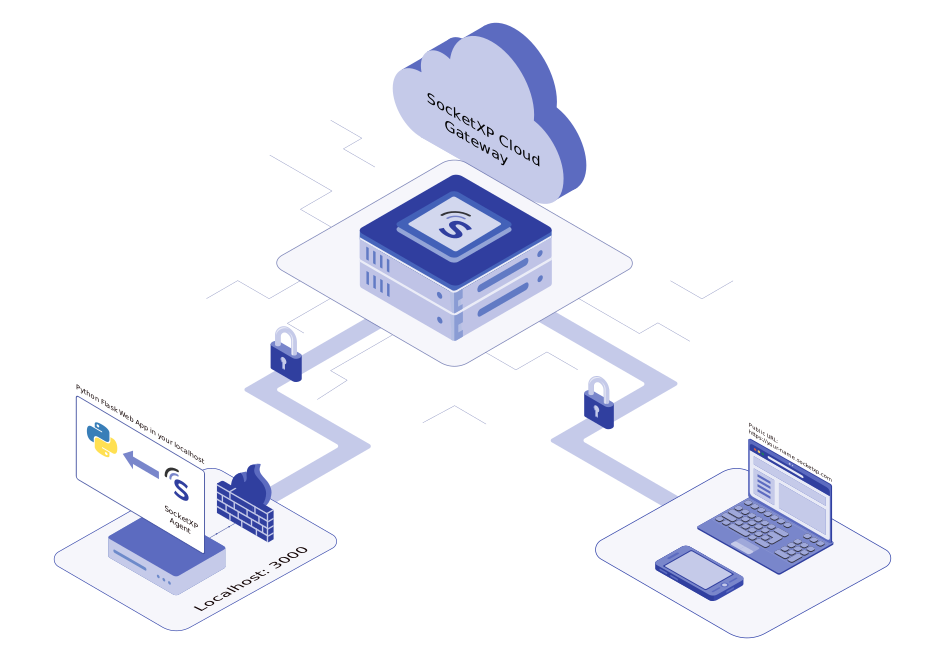
SocketXP installs a lightweight agent on each device. It creates an outbound SSL/TLS tunnel — no open ports, no VPN, no router config needed.
SSH into your AI edge devices from anywhere — no VPN, no port forwarding, no public IP required. SocketXP creates a secure outbound SSL/TLS tunnel through any NAT router, firewall, 4G, 5G, or Starlink network.
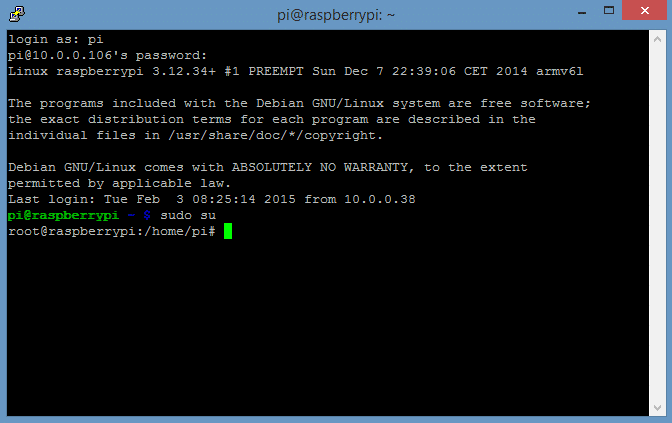
Full SSH and web app access to Jetson devices running edge AI inference workloads, from anywhere over the internet.
Remotely access Raspberry Pi running Hailo AI HAT+, Google Coral TPU, or Intel Neural Compute Stick without exposing any ports.

SSH into your home lab GPU machine or remote AI workstation — ideal for model training, fine-tuning, and inference debugging.

Outbound-only tunnel works behind corporate firewalls, 4G/5G cellular, Starlink satellite, and CGNAT — no router configuration needed.
Access your AI development and experiment-tracking tools running on remote GPU machines or edge devices — from any browser, without opening ports or configuring firewalls.
Open your remote Jupyter environment in a browser — run AI notebooks on a GPU machine as if it were local.

Monitor model training metrics on a remote machine in real time via a secure SocketXP HTTPS tunnel.

Share AI demos and prototypes running on your local machine or edge device with a stable public HTTPS URL.
Access your MLflow experiment tracking UI hosted on a remote server — no VPN, no SSH port forwarding needed.
Give your AI inference endpoints a stable public HTTPS URL for team collaboration, production API access, and demos — without touching your firewall or exposing ports.

Securely expose your AI inference REST API running on localhost to the internet with a permanent HTTPS endpoint.

Access your locally running Ollama LLM from any machine or application over the internet via a secure SocketXP tunnel.
Every inference endpoint is protected by mTLS and access tokens — no open ports, no unauthorized access.

SocketXP provides a permanent, stable URL for your inference server — survives device reboots and network changes.
Push updated PyTorch, ONNX, TensorFlow Lite, and GGUF model files to your entire fleet of AI edge devices — no physical access, no manual SSH into individual devices.

SocketXP OTA update supports AI model file deployment to NVIDIA Jetson, Raspberry Pi, and any embedded Linux fleet. Staged rollouts and automatic rollback keep your edge AI fleet stable after every model release.

Deploy PyTorch (.pt), ONNX, TensorFlow Lite (.tflite), GGUF, and custom model files to edge devices.

Deploy new AI models to 1% of devices first, then progressively expand — catching inference regressions before full rollout.

Build a post-update health check into your deployment script — if it fails, the device automatically rolls back to the previous model version.

Push a single model update to thousands of Jetson and Raspberry Pi devices simultaneously via the dashboard or REST API.
Find quick answers to the most common questions about this topic.
AIoT (Artificial Intelligence of Things) remote access refers to the ability to securely connect to, manage, and control AI-enabled edge devices — such as NVIDIA Jetson, Raspberry Pi with AI accelerators, and GPU servers — from anywhere over the internet. This includes SSH access for debugging, HTTPS access for inference APIs, and OTA deployment of updated AI models. SocketXP provides all of these through a single lightweight agent that works behind any NAT, firewall, or cellular network.
Install the SocketXP agent on your Jetson Nano or Jetson Orin. The agent creates a secure outbound SSL/TLS tunnel to the SocketXP cloud gateway — no port forwarding or public IP needed. You can then SSH into the device from any machine, or access its web applications, from anywhere. See our guide: How to Remotely Access NVIDIA Jetson Orin.
Yes. SocketXP tunnels the Jupyter Notebook port (typically 8888) from your GPU server to a stable public HTTPS URL. Open the URL in any browser to access your notebooks remotely — no SSH port forwarding or VPN required. See our guide: Remote Access Jupyter Notebook from Anywhere.
Run the SocketXP agent on the machine hosting your Ollama or FastAPI server. SocketXP creates an HTTPS tunnel and gives your inference endpoint a permanent public URL. All connections are protected by Zero Trust authentication — no open ports, no unauthorized access. See our guides: Access Ollama Remotely and Expose a FastAPI Inference Server Remotely.
SocketXP's OTA update system lets you upload PyTorch, ONNX, TensorFlow Lite, GGUF, or any model file to the SocketXP platform and deploy it to your entire fleet — or a staged subset — from the dashboard or REST API. Devices behind NAT, firewall, or cellular networks receive the update automatically. See our guide: Deploy AI/ML Model Updates to Edge Devices Over the Air.
Yes. SocketXP supports any device running embedded Linux, including Raspberry Pi 4 and 5 with Hailo AI HAT+, Google Coral USB/PCIe TPU, and Intel Neural Compute Stick. The agent is a lightweight binary with ARM and ARM64 support. See our guide: Remotely Access Raspberry Pi with AI HAT or Coral TPU.
Yes. Because the SocketXP agent initiates an outbound connection from the device, it works on any network — including 4G LTE, 5G, Starlink satellite, and CGNAT — where devices have no public IP address. No router configuration is needed on any network.
Yes. SocketXP tunnels any local port to a secure public HTTPS URL. TensorBoard, Gradio, and MLflow all run as local web servers — SocketXP makes them accessible from anywhere in minutes. See our guide: Access TensorBoard, Gradio, and MLflow Remotely.
Hear from our satisfied customers about how SocketXP has transformed their IoT workflows with seamless connectivity, robust security, and unmatched reliability.